
Help center
Help & frequently asked questions
Quick answers to the most common questions. Search or pick a category — every answer lives on this page.
Get started
How long does it take to get started?
15 minutes — the display is pre-configured.How much time per week do I need to keep this running?
Plan for ~10 minutes a week. The day-to-day — stamps, rewards, gift cards — runs from the Service Portal at the register and is handled by your staff. What is on your plate as the owner is the occasional SMS campaign to stay top of mind, and that is where the AI does the heavy lifting. With IntelliSMS and PayAtt Coach a ready-to-send campaign is ~30 seconds away — you pick the audience, approve the suggestion, and send.What do I need before I start?
A registered business, an email address, and a Swedish mobile number you can use to test the registration flow.Does the display ship immediately?
Within 2 business days.Do I have to install an app?
No, neither you nor your customers.What does the customer see when she registers for the first time?
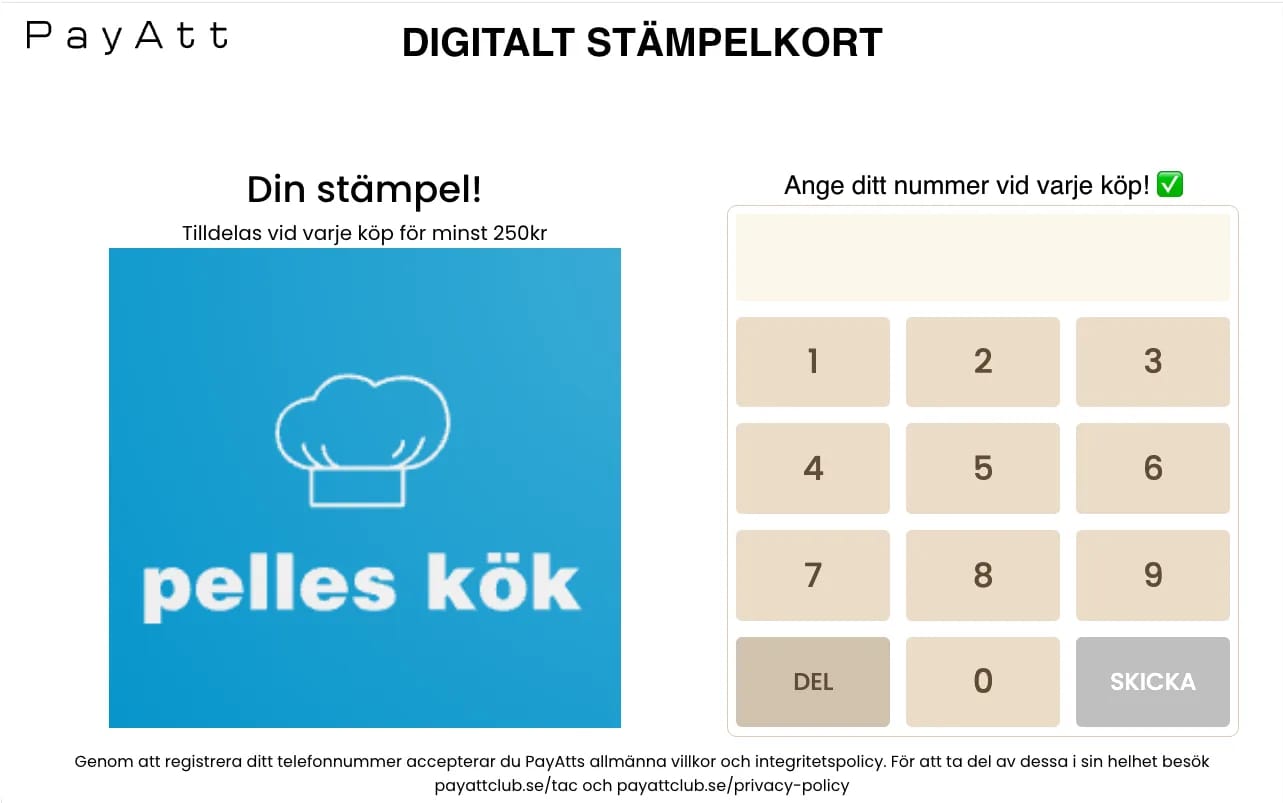
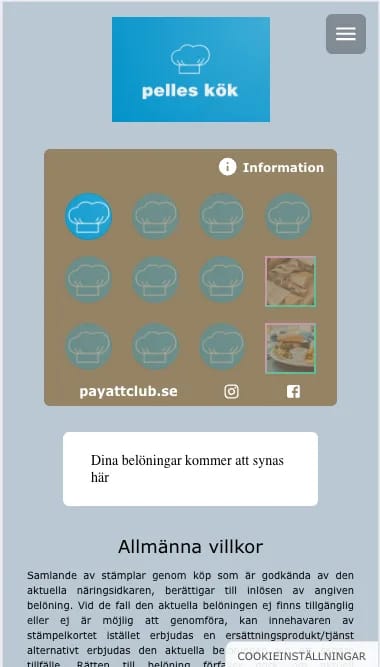
She taps her mobile number into your registration display — it takes a couple of seconds. The screen then shows a welcome view and confirms she is now a member of your club. Almost immediately a welcome SMS arrives on her phone with a link to her stamp card, branded in your design. She can open the card right away or save the link — and the next time she comes by, the system recognises her by the number. No apps, no accounts, no passwords.
Do I need technical know-how?
No. PayAtt is built so you can get going quickly and easily — no code, no install, no technical background.
Upload your logo and brand colour, pick one of our ready-made stamp-card or gift-card templates, and tweak the text to fit your business. In a few minutes you have a card that looks like your own brand and that your customers can start using right away. Want to see the card designer in more detail? Read more about Wizard on the features page.
Can I import my existing customers?
Yes. If you already have a list of mobile numbers — Excel, CRM, or an old loyalty system — you can import it into PayAtt so your customers are there from day one. Provided you have a legal basis to contact them from before (e.g. documented consent from your previous platform) they count as registered members and can receive SMS from you. Email support@payatt.store and we will help with the import itself and make sure the format is right.
Sending SMS
How do I send an SMS campaign?
Log in to the web portal, go to SMS, write your message and pick your target group. You can send to every member, or filter — e.g. only people who have not stamped in 30 days, only those one stamp away from the next reward, or only members at a specific venue.
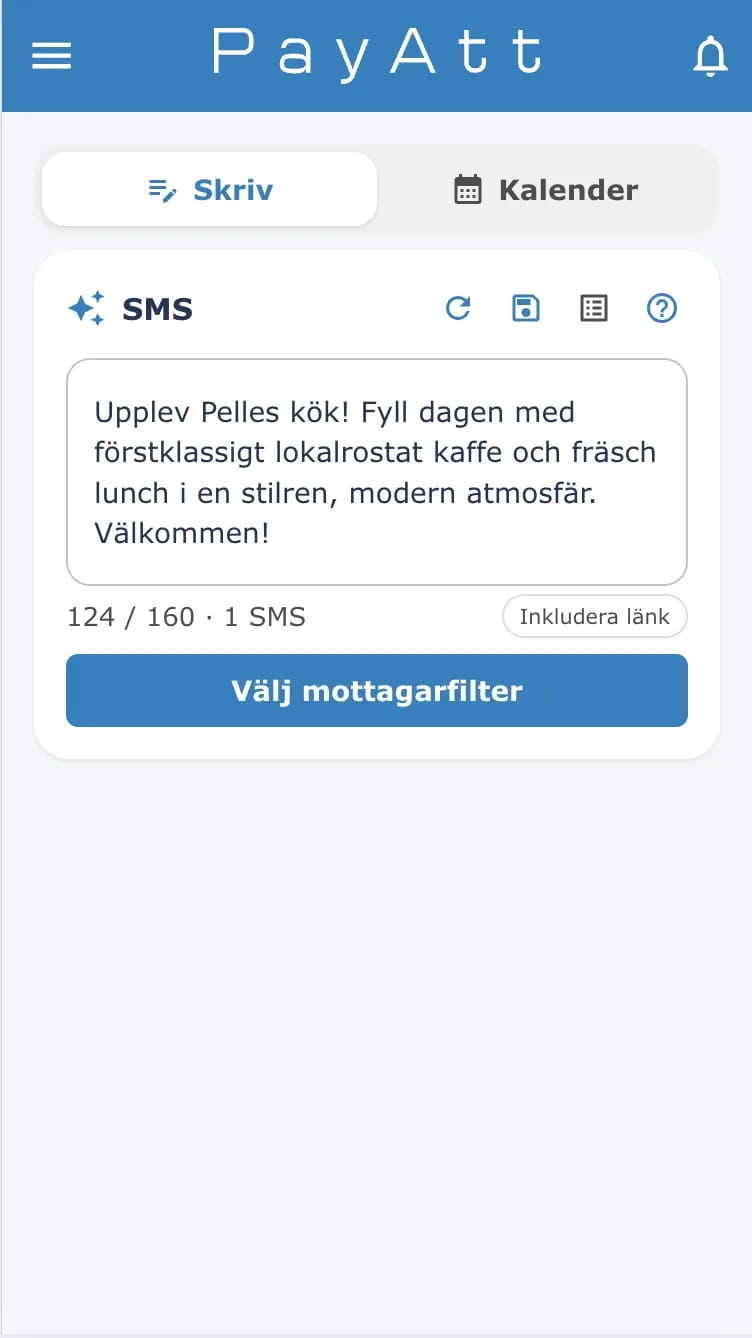
Want a quick start? Use IntelliSMS — the AI gives you a ready draft based on the filter you chose. You can always edit before sending, and you see exactly how many recipients and how many SMS segments the send will use before you confirm.
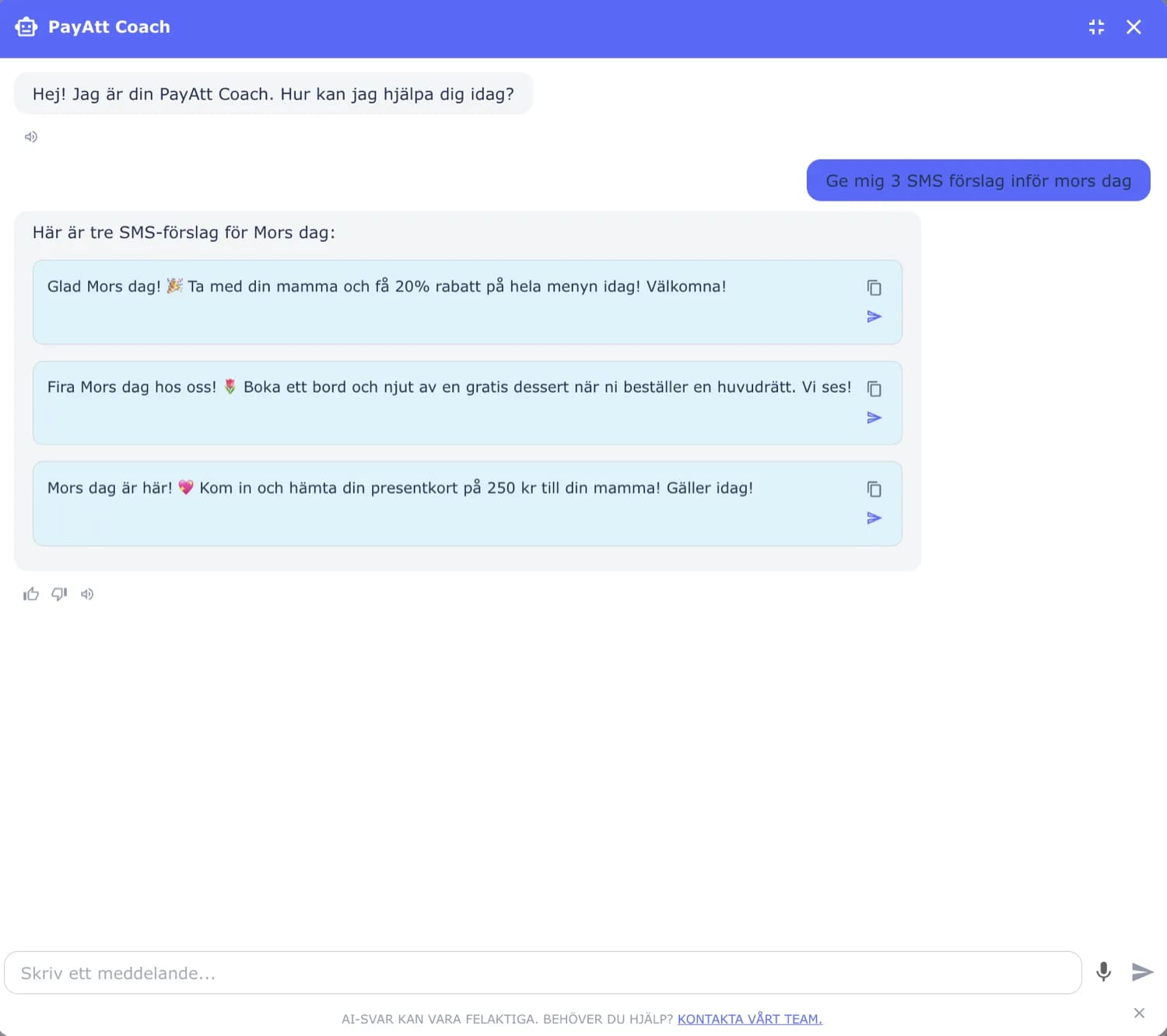
Want more tailored suggestions? Ask PayAtt Coach — our AI coach you can ask essentially anything, e.g. “Give me 5 SMS ideas for Easter”, “suggestion for increasing my revenue”, or “suggestion for more bookings on Wednesday”. You get ready-to-send copy you can fire off directly or build on.
Tip: wait 1–2 weeks after the registration display is in place before you send your first campaign. That gives you time to build up a member base actually worth reaching out to — otherwise the SMS just lands on a handful of people.
Can I schedule SMS in advance or send recurring campaigns?
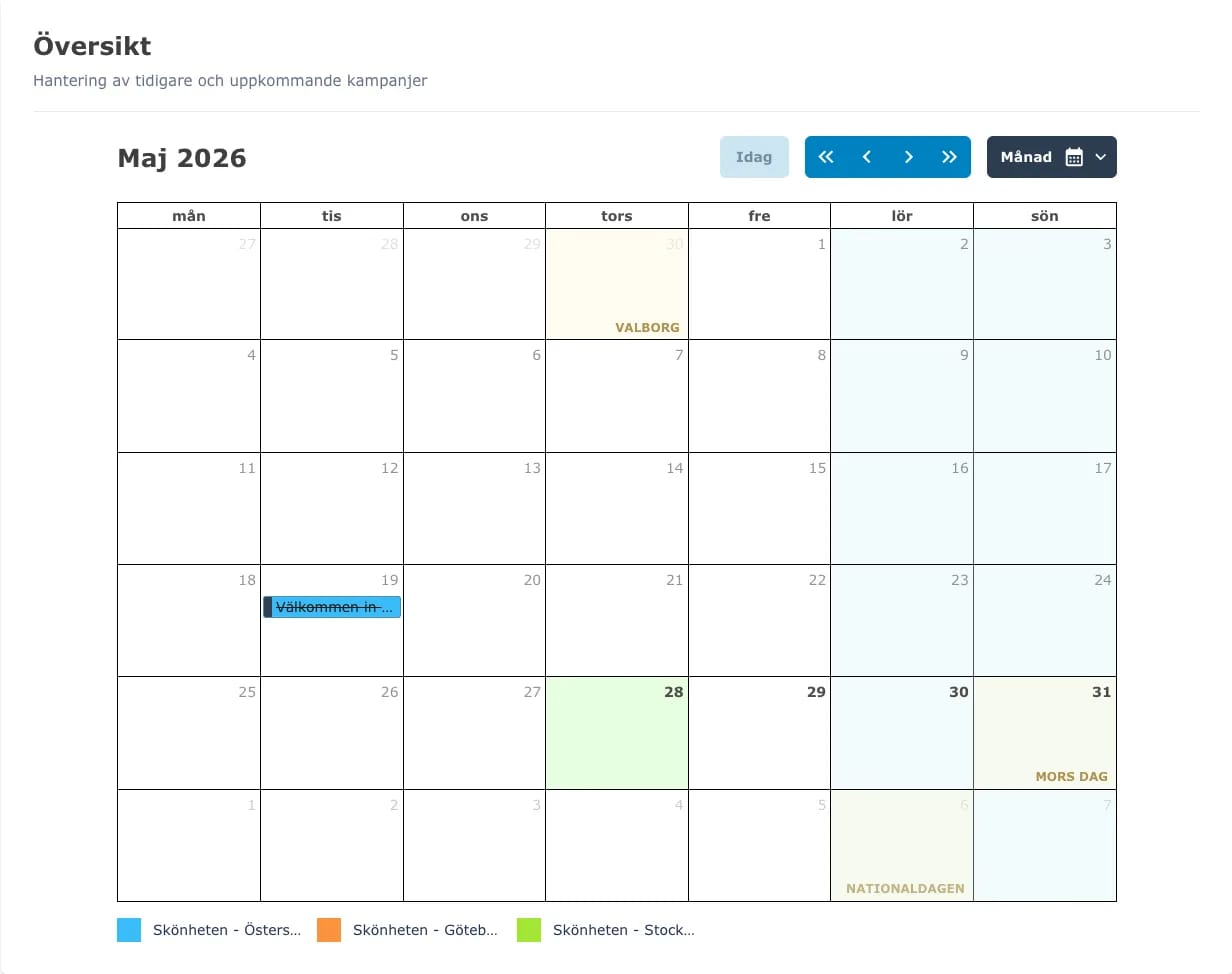
Yes. You can both schedule a one-off send for a later date and time, and set up recurring campaigns — e.g. every Friday at 14:00, the 1st of every month, or every other Wednesday until a specific end date. Recurring sends run themselves until you pause or close them, so you can build a full year-plan once and let it run.Do I get ready-made campaigns for holidays and seasons?
Yes. We have 17 Swedish holidays and seasonal markers baked in — Lucia, Christmas, Valentine's, Easter, Midsummer, Halloween and more — and ahead of each one IntelliSMS suggests ready-made drafts that fit your industry. So you do not have to remember to send something for Easter yourself — we nudge you in good time with a couple of ready drafts you can approve or tweak.
0:000:00How often can I SMS without becoming annoying?
2–3 sends per month works well for most businesses. Send more often and unsubscribes typically start ticking up. Want to try a higher cadence? Run a send to a smaller test group first and watch the unsubscribe rate before scaling up.How are SMS counted — what is free and what costs extra?
No SMS is free in a strict sense, but every SMS that fits within your monthly quota is included in your regular monthly cost. That covers both service messages (welcome SMS, reward notifications, gift-card redemption codes) and marketing SMS you send yourself — the meter ticks the same way regardless of type.
A standard SMS is up to ~160 characters. If you write a longer message it is automatically split into multiple segments, and each segment counts as one SMS against your quota. Using emoji or special characters lowers the per-SMS character budget too (then it is ~70 characters per SMS instead). These are general SMS standards, not something specific to PayAtt — and with many recipients, keeping the message short pays off.
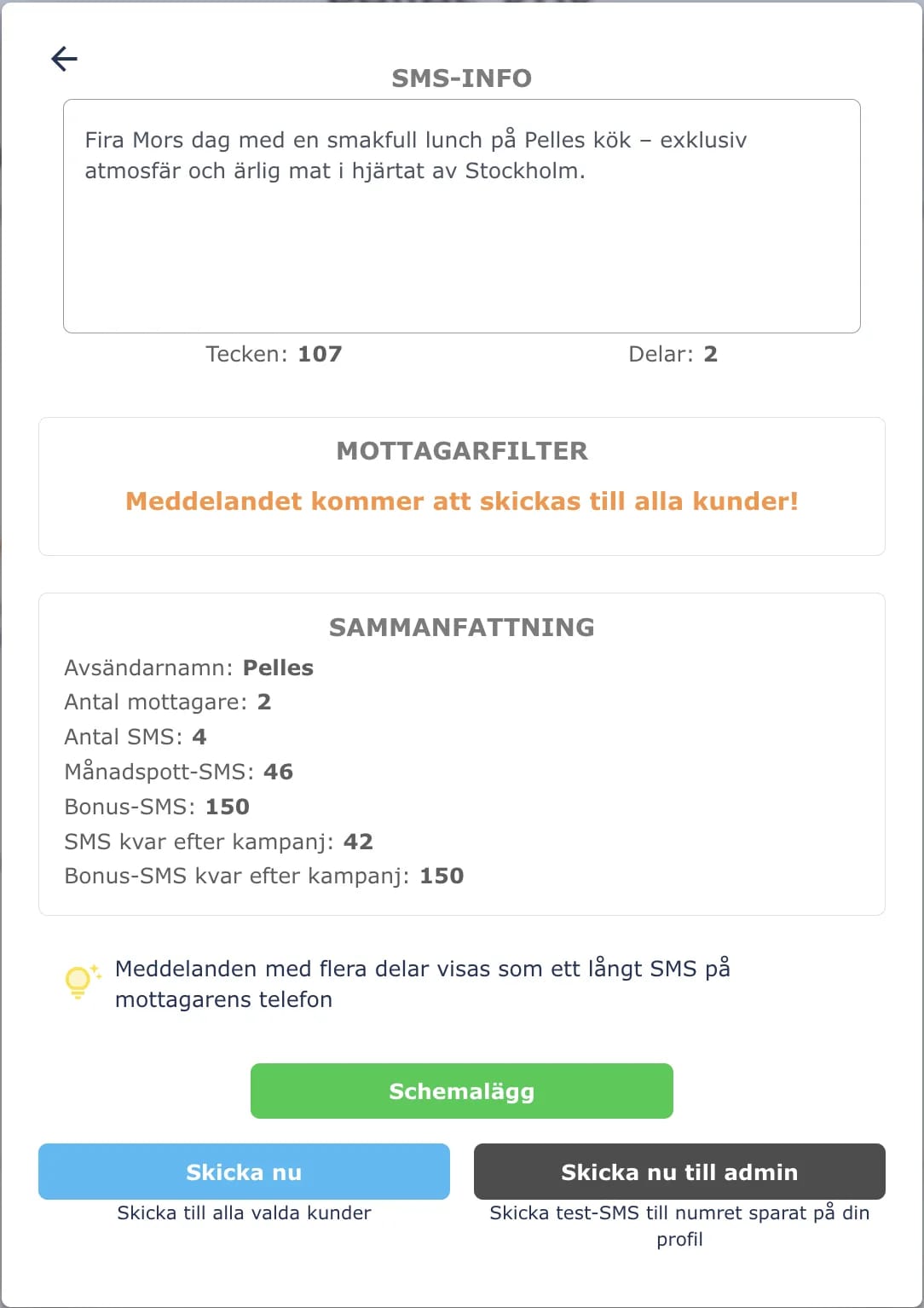
You do not have to do the math yourself. Before you confirm or schedule a send, the web portal shows you exactly how many recipients it will go to, how many SMS segments each message lands on, and what the total cost will be. You also see whether the send fits inside your monthly quota or goes on overage — no surprises on the invoice.
Once your monthly quota runs out, any bonus SMS we have granted you are used first, and then extra SMS go on overage at your tier rate — 0.99 SEK (Testa), 0.79 SEK (Mini), 0.59 SEK (Standard), 0.49 SEK (Premium). All overage is added to your running invoice — you never need to top up or buy blocks in advance. SMS that do not reach the recipient are never charged.
What does an extra SMS cost?
Extra SMS beyond your plan's included batch cost 0.99 SEK (Testa), 0.79 SEK (Mini), 0.59 SEK (Standard), and 0.49 SEK (Premium). They are tallied monthly and added to your running invoice — you never need to top up SMS or buy blocks in advance.
Do my customers have to give consent?
Yes. When a customer registers on your display they consent to receive SMS from you — that is the entire premise of the registration flow. They can opt out at any time, and unsubscribed numbers are automatically filtered out of future sends. We keep the consent log in the background so you can always demonstrate consent was given.How do you separate transactional service messages from marketing SMS?
We separate two kinds of message. Service messages — welcome SMS on registration, reward notifications when a customer hits a milestone, gift-card redemption codes — are part of the service the customer themselves activated and always go through.
Marketing SMS, meaning the campaigns you send from the web portal, require active consent (which the customer gives at registration) and can be unsubscribed at any time. Unsubscribes only affect marketing SMS — the customer still gets their service messages as long as they remain an active member with you.
What happens if a customer replies to an SMS?
Our SMS go out from a sender ID, not a regular mobile number, so customers generally cannot reply directly to the campaign. If you want customers to reach you, a better pattern is to include a link in the SMS — e.g. to your booking page, your website, or a contact form. That also gives you tracking on who clicked through, which is more useful than a loose SMS thread.How fast do SMS arrive?
Within 5 seconds in 99% of cases. And you only pay for SMS that actually reach the recipient — if a number cannot be delivered we never charge for it, and if the failure is reported back after payment has already settled we refund the cost automatically.
We also keep your member base clean for you. Numbers that repeatedly fail to deliver are deactivated automatically, so future campaigns only land with real recipients. Should the same person register again later, the profile is reactivated immediately — stamps, rewards, and the full history are all still there, nothing is lost.
Stamp cards
How do I create a stamp card?
In the web portal click “Create stamp card”, pick the number of stamps (e.g. 10), and describe the reward (e.g. “Free coffee”). Then design the card — either from one of our ready templates or by letting the AI designer generate a draft from your logo and brand colours. You fine-tune background, icons, and text until it feels like your own brand.
Once the card is ready, activate it and your customers can register on your display right away. The whole process takes a few minutes and needs no technical knowledge. See the card designer in detail.
0:000:00How many stamps are optimal?
8–10 stamps is optimal for most businesses. Long enough for the reward to feel worth working towards, short enough that the customer can see the finish line. More than 12 stamps and engagement drops — customers lose the feeling of being close to something.
Think about your visit frequency: a café visited a couple of times a week handles 10 stamps fine, while a hairdresser or massage therapist visited every six weeks should be closer to 6–8 so the reward feels reachable in a reasonable timeframe.
Can I run several types of card?
Yes, from Standard up. Useful if you want, e.g., a lunch card and a dinner card with different terms, a separate card for a specific product, or a seasonal campaign running alongside your main card. Each card type has its own design, reward, and statistics.Can I limit stamps to certain times or days?
Yes. When you create the stamp card you can set time windows — e.g. stamps are only given out Monday–Friday between 11 and 14 to drive lunch visits, or a summer campaign that is only active June–August. Outside the window the card stays on the customer's phone but new stamps cannot be added, so the rule is enforced automatically without staff having to think about it.What if a customer loses their phone?
The card does not live on the phone — it lives in the cloud, tied to the mobile number. When the customer gets a new phone she finds the card again by visiting your business page and entering the number. No stamps lost, nothing to recreate — it is one of the main points of skipping the app altogether.What if a customer switches phone number?
The customer switches mobile number themselves from their member profile. The switch requires verification of both the old and the new number via SMS code, so no one else can take over the account. If she no longer has access to the old number, she just reaches out to us — we do a manual validation and move the entire card, including stamps, rewards, and history, to the new number.Can I stamp from my own phone?
Yes, from Standard. Your staff log in to the Service Portal from their own phones — there they can stamp, redeem rewards, and handle gift cards without the customer needing to step over to the registration display. You can also set permissions per person and per venue so a new hire only has the functions that match their role.
0:000:00What if staff accidentally give the wrong number of stamps?
It can be fixed on the spot. From the Service Portal staff can both add and remove stamps on the same customer — so an extra stamp by mistake takes two taps to correct. All changes are logged, so as the owner you can see in the statistics who did what if anything needs to be followed up.How do you prevent customers from cheating on rewards?
Every stamp card has a secret code that only staff can see, and the customer has to be given the code by staff at the register to redeem a reward. So a customer cannot just take a screenshot and claim a reward — the code has to match the current card and the current reward. The confirmation view on the customer's phone also shows a live timestamp, so an old screenshot gives itself away immediately. Same principle as a receipt, only digital.What happens to in-progress stamp cards when I end a campaign?
When you end or pause a stamp-card campaign, existing customer cards stay visible on the phone and customers can redeem rewards they have already earned. New stamps can no longer be added — so the customer does not lose anything she collected, but the card stops growing.
If you want to fully retire a card we recommend giving your customers a heads-up by SMS first, allowing a reasonable window to redeem pending rewards, and only then closing the campaign. That way the card winds down without anyone feeling cheated out of their stamps.
Gift cards
How do digital gift cards work?
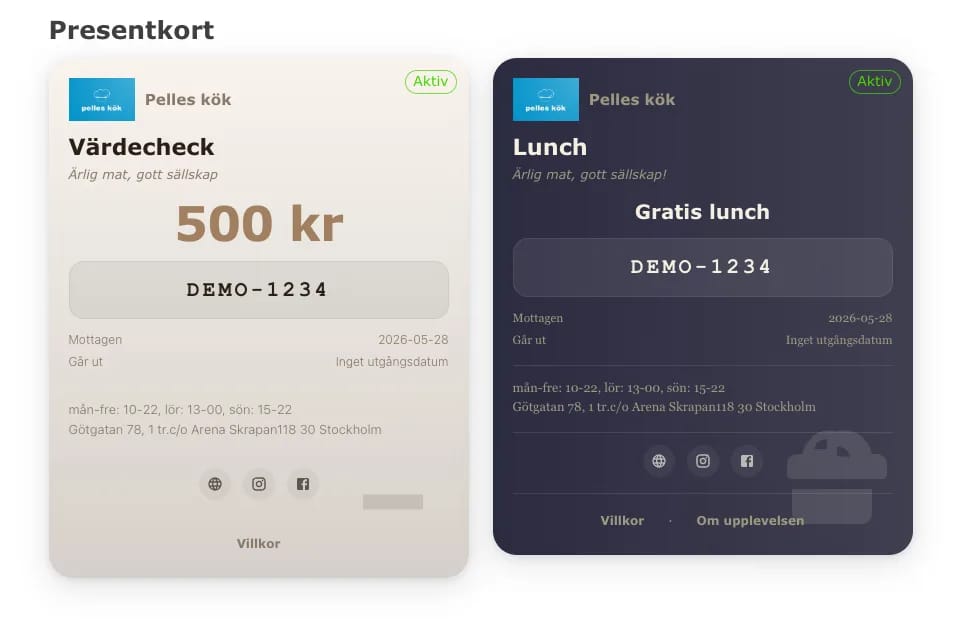
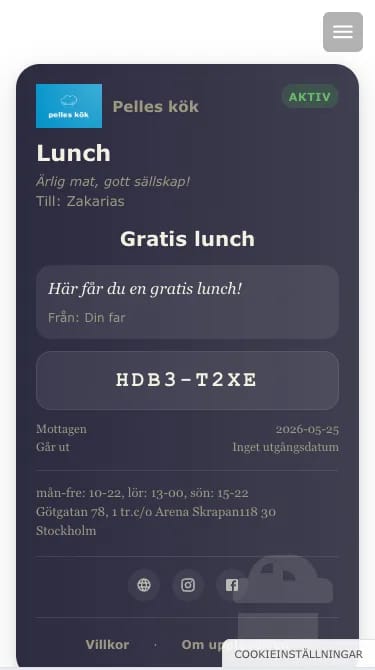
You create a gift card campaign in the web portal — pick the type, design, and any conditions. When a customer wants to buy one, it is issued at the register from the Service Portal, or sent from the web portal. The recipient gets an SMS with a link to the card that opens branded in your company's look.
At redemption in the store the customer shows the code and staff deduct the amount or register a use from the Service Portal. You see at a glance how many cards are outstanding, how much value is still unredeemed, and per-campaign statistics — important for accounting, since outstanding gift cards are deferred revenue. Read more about gift cards on the features page.
0:000:00What is the difference between monetary and experience gift cards?
A monetary gift card carries a value in kronor that the customer can spend across multiple visits until the balance runs out — e.g. a 500 SEK card redeemed over several visits. An experience card carries a fixed number of uses between 1 and 20, e.g. “three lunches” or “one facial”. You pick whichever type fits your business and can have several campaigns of both kinds running at the same time.
How long is a gift card valid?
By default a gift card is valid for 10 years, but you can change the validity per campaign. For monetary cards you can also let the system send an automatic reminder 7 days before expiry, so the recipient has time to use the card.Can I cancel or refund a gift card?
Yes. If a customer returns something paid for with a gift card, staff can refund the transaction from the Service Portal — the amount or use is added back to the card. As the owner or admin you can also fully cancel an active card, e.g. in case of duplicate issuance or suspected misuse. Both flows are logged so you have full traceability.
Pricing & plans
Is there a free trial?
No — instead we have Testa at 95 SEK/mo as our entry plan. No lock-in, no setup fee, the display is included on loan. The idea is that you can get going for real without committing to anything big, and grow into the next tier only when your member base passes 150.What is the difference between Testa and Mini?
Testa is our entry plan: 95 SEK/mo, room for up to 150 members, and 50 included SMS per month. Perfect if you want to try the format for real without committing to anything big.
Mini is the next step: 495 SEK/mo, up to 500 members, and 200 included SMS. You also unlock invoice payment and a lower per-SMS price for anything beyond the included batch. It is the plan most businesses grow into once their member base passes ~150.
What if I hit the member limit?
We warn you ahead of time — email at 80% and email + SMS at 95%. At the limit we either auto-upgrade you to the next plan (default) or pause new registrations. You decide ahead of time which behaviour you prefer.Are prices VAT-inclusive?
No, all prices are excl. VAT. That is standard for B2B services — you deduct the VAT in your accounting as usual.Can I pay by invoice?
Yes, from Mini and up. Invoices are always sent monthly, regardless of whether you are on the monthly or yearly plan. You can update your billing details (org. number, recipient, invoice email) yourself at any time in the portal.How long is the lock-in?
Cancel any time. Monthly ends at the end of your current billing period; yearly stays billed through the 12-month period and does not auto-renew once cancelled.Can I pause my account during a closed season?
We do not have a formal pause function today, but reach out to us at info@payatt.store and we will find a workable solution. A common setup is a temporary downgrade to the Testa plan during the closed months — the account stays put with all data and you only pay 95 SEK/mo for the period you are closed. When the season starts again we upgrade you back and everything is in place where you left it.Who do I contact about billing questions?
Email faktura@payatt.store. You can also change your billing details (org. number, recipient, invoice email, etc.) yourself anytime via the portal: billing & SMS.Can I use PayAtt for multiple venues?
Yes, from the Premium plan. Two venues are included in the base price, and you add more as add-ons with 20 % off per additional venue. All venues sit under the same account and are billed together, so you have full visibility without jumping between logins. Read more about multi-venue.Are stamp cards and members shared between my venues?
You decide. When you create a stamp-card campaign you can link it to one specific venue or to several at once — so a shared stamp card can follow the customer between your locations, while a local lunch campaign only applies at one place. Members are registered per venue, but as the owner you have a consolidated view in the web portal and can set permissions so a venue manager only handles their own part.What happens to the display when I upgrade from Testa?
The display's 24-month installment begins automatically on the new tier's terms:
- Mini: 89 SEK/mo (8") or 109 SEK/mo (10")
- Standard/Premium: 69 SEK/mo (8") or 89 SEK/mo (10")
Want to buy the display outright? You can clear the remaining balance at any time in the portal. The full display value is:
- Mini: 1,995 SEK (8") or 2,495 SEK (10")
- Standard/Premium: 1,495 SEK (8") or 1,995 SEK (10")
You manage the installment yourself from the invoice page in the portal: billing & SMS.
If you later upgrade or downgrade, the monthly cost adjusts to the new tier's rate. The installment period itself never extends, though — it always runs 24 months from the day of your first upgrade, no matter how many tier changes you make after that.
Technical
What if the display breaks?
Email support@payatt.store and we will send a replacement within 2 working days. You ship the broken one back — under normal use replacement costs nothing extra since the display is included in your plan.What happens during a power cut?
The display reboots itself as soon as power returns — no customer data is ever lost, and starting the display back up only takes a few seconds.What if PayAtt has an outage — can I still serve customers?
This happens very rarely, but if the platform were ever down, sales at the register obviously continue as normal — PayAtt does not sit in the way of your regular payment system. If stamps or registrations made during an outage look off once we are back up, email support@payatt.store and we will help straighten them out. We monitor the platform actively and inform affected customers if an outage runs longer.Does the PayAtt card work in Apple Wallet or Google Wallet?
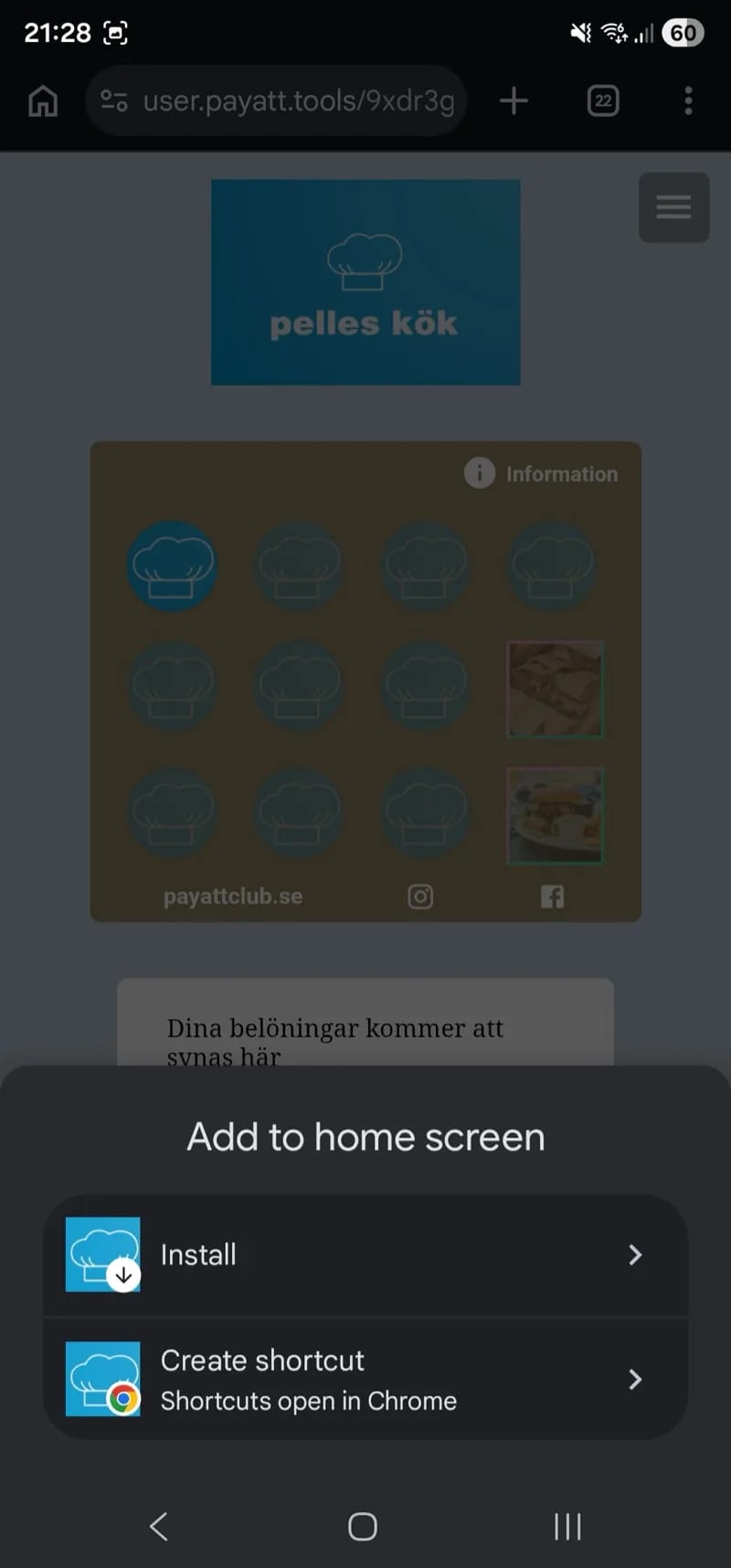
Not yet, but it is on the way — Apple Wallet and Google Wallet are on our development pipeline. Today the customer accesses the stamp card via the link in the SMS — or, if you are on the Standard plan or above, via a branded app icon on the home screen (the feature is called PayAtt GO). Once wallet support lands, customers will be able to add the card straight into their phone's native wallet.Can I use my own logo and colours on everything — display, cards, SMS, gift cards?
Yes — the whole customer journey carries your brand. The registration display at the register, your stamp cards, your gift cards, the customer's branded icon on the home screen (PayAtt GO), and the SMS that go out from your business — all of them inherit your logo, your colours, and your company name. You upload the logo and brand colours once in the web portal and they are reused across every surface. If you need to fine-tune the design per surface that works too — e.g. a different style for the summer stamp card than your regular one.
Can I add marketing elements to the registration display?
Absolutely — you have full control over the design of every screen view. Add your logo, an image carousel with seasonal offers, a short video, today's lunch menu or a QR code to your booking page — anything that fits your business. The display is one of your most visible surfaces in the venue, and you design it yourself in the web portal.
There are six views you can customise (in addition to the standby state):
- Registration view — the actual numpad where the customer taps in their mobile number.
- Welcome view (new customer) — shown right after a new customer registers for the first time.
- Returning customer view — shown when a registered customer comes back.
- Stamp card welcome view — shown when the customer joins a new stamp card.
- Stamp received view— shown right after a stamp has been added to the customer's card.
- Reward view — shown when the customer has earned a reward and is ready to redeem it.
Each view has its own layout, images, and messages — so you can, for instance, highlight today's offer on the welcome view, push a new menu item on the returning-customer view, and celebrate with an extra bonus on the reward view. The display becomes an active marketing channel — not just a registration point.
How secure are my customers’ phone numbers?
All data is stored on servers inside the EU, encrypted both at rest and in transit, and handled in line with GDPR. As a business you never have direct access to individual phone numbers — you send campaigns based on filters and segmentation, never on individual numbers.
More on how we think about security, data minimisation, and your legal basis as the controller is on the security page.
How is GDPR and consent handled?
The customer gives consent directly on the registration display when they join. We handle all personal data for you — so you do not have to worry, you have no access to individual phone numbers. Instead you send campaigns based on smart filters and segmentation of your member base.
The customer can see the terms at any time and choose to delete all their data. We follow every GDPR rule and have structured the solution so you do not have to think about data protection — we handle it.
Can I control what my staff can do in PayAtt?
Yes — full control. As the account owner you decide who has access to what, and different people can have different permissions.
PayAtt has two separate surfaces:
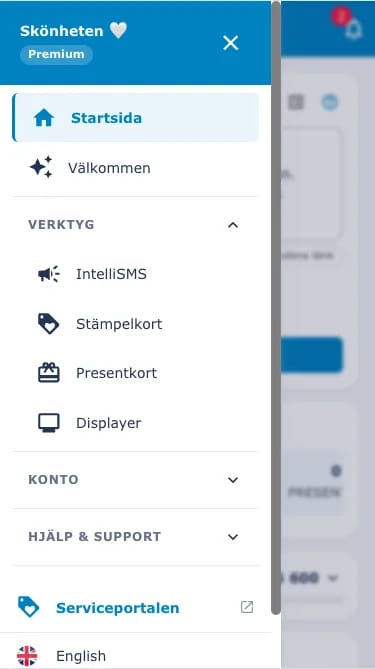
- Web Portal — for administration: stamp-card design, SMS campaigns, statistics, billing, user management, and more.
- Service Portal — mobile-optimised for counter staff: give stamps, redeem rewards, handle gift cards.
In the Web Portal you set permissions per person — e.g. who can send SMS, change stamp-card design and structure, create new users, manage billing, view statistics, or only have read access.
In the Service Portal you grant access per venue and per card type. You can let a cashier manage stamp cards at one venue but not gift cards, or give them full access to one venue while keeping them out of others.
Web Portal user count per plan: Testa and Mini have 1, Standard has 2, Premium is unlimited. Service Portal users are always unlimited.
What statistics and reports can I see?
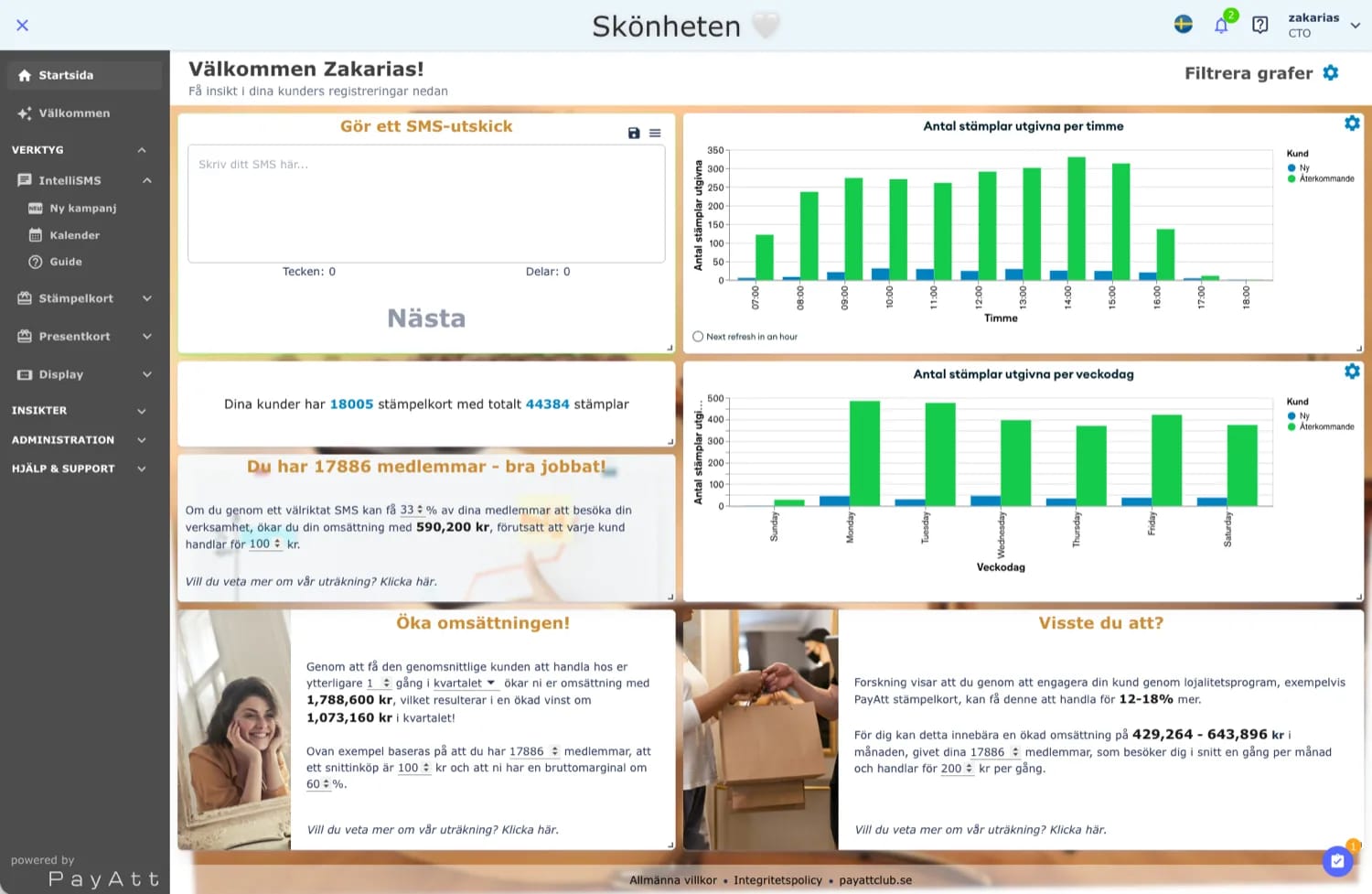
From the web portal you see ongoing statistics per stamp card, per SMS campaign, and per customer — stamps given, rewards redeemed, new members over time, campaign delivery rates, and what share of your customers visited in the last 30 days. You can compare periods against each other and break things down per venue if you run more than one.
What happens if I close my account?
You cancel your subscription yourself from the web portal. No further payments are taken after the end of your current billing period — or, if you are on the 12-month plan, after the end of your commitment period. Changed your mind? You can undo the cancellation from the same view in the portal at any time.
If you later want to come back, just make a new purchase on our website to reactivate your old account — all stamp cards, members, statistics, and settings are still there, exactly as you left them. We do not delete any data automatically. Want us to do a full GDPR erasure? Email info@payatt.store and we will sort it.
Want to keep the display after cancellation? Buy it out at the residual value; otherwise ship it back (you only pay shipping).
Cannot find an answer?
Get in touch — we reply within the same business day.